I’ve been a big user of the iTerm2 terminal emulator on the Mac for as long as I can remember – probably back to when I started using a mac around 2012. A feature I’ve always enjoyed (possibly going back to either PuTTY or some linux terminal emulator before that) and really expected to always be there is what iTerm2’s settings call “Copy to clipboard on selection”. It does just what it says – when you select text in the terminal (usually by a double clicking on a file name or path), it immediately goes onto your clipboard, so you’re just a ⌘+V away from pasting the word into your prompt.
So – in 2026, when I’m spending a lot less time in iTerm, and a lot more time in Claude and Codex (and yes, I’m preferring the GUI over the CLI for both of them), and I am launching their embedded terminals, it was kinda killing me that copy-on-selection wasn’t there.
So, we (me and Chatty Codex) built it.
The name is RoboCopy – as in, automatic, like a robot, and it copies things – and it sounds like that movie, RoboCop. So I like that name.

It’s on github, where you can download the source and build it yourself (MIT license, so you can do whatever you want with it).
Or you can download a pre-built version – just open the zip file, copy the app to your /Applications folder, and double-click it once to run.
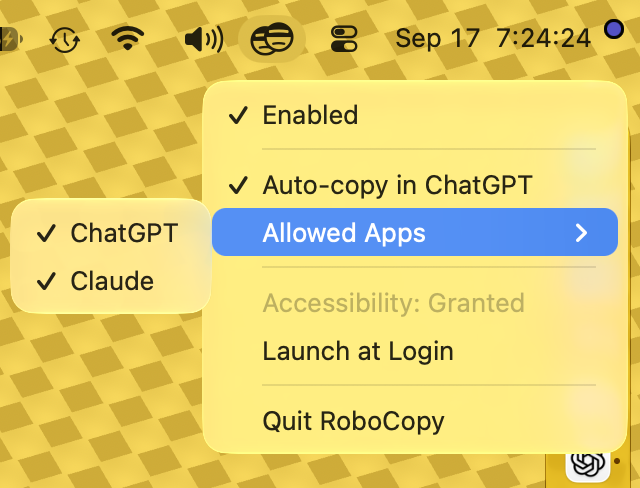
It’ll ask for some accessibility permissions (to be able to detect mouse events), and then you’ll see it in your menu bar. It’s opt-in on an app-by-app basis, so when you’re in an app that you want it to work for, just click the menu bar icon and check the “Auto-copy in ___” option to activate it for that app. It’s pretty self-explanatory after that, I believe.
Enjoy!